Six free production schedule templates in Word and Excel. Three are for manufacturing, covering the master schedule, the daily run sheet and pre-production planning. Three are for media and events, where a production schedule means a call sheet and a running order rather than output targets. Each is an editable document you can adapt to your own process.
Free production schedule templates
Click any template to download it. No account, no email address, no watermark.

Master Production Schedule Template
The top-level plan: what gets made, how much, and in which period. Everything else on a factory floor is scheduled downstream of this one document.
- File type: MS Word (ZIP)
- File size: 89 KB
- Best for: manufacturing planning
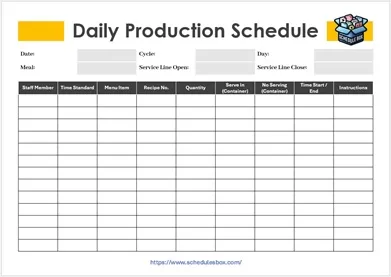
Daily Production Schedule Template
One shift or one day at a time, with space for the planned run alongside what was actually produced. The gap between those two columns is the useful part.
- File type: MS Word (ZIP)
- File size: 79 KB
- Best for: shop floor and shift runs

Pre Production Schedule Template
Covers everything that must be ready before production starts: materials, approvals, setup and staffing. An Excel sheet, so you can sort by what is still outstanding.
- File type: MS Excel (ZIP)
- File size: 57 KB
- Best for: preparation and sign-off

Film Production Schedule Template
Built around shooting days rather than output: scenes, locations, cast and crew call times. Scenes are ordered by location rather than by script order, which is how shoots are actually planned.
- File type: MS Word (ZIP)
- File size: 91 KB
- Best for: film and TV shoots
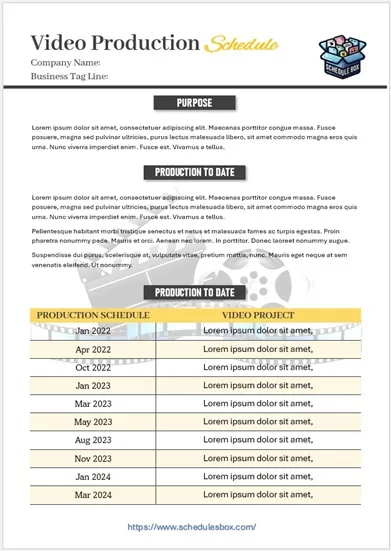
Video Production Schedule Template
Spans the whole job rather than just the shoot, taking in scripting, filming, edit, review rounds and delivery. Suits smaller video work where one person tracks every stage.
- File type: MS Word (ZIP)
- File size: 569 KB
- Best for: video projects end to end
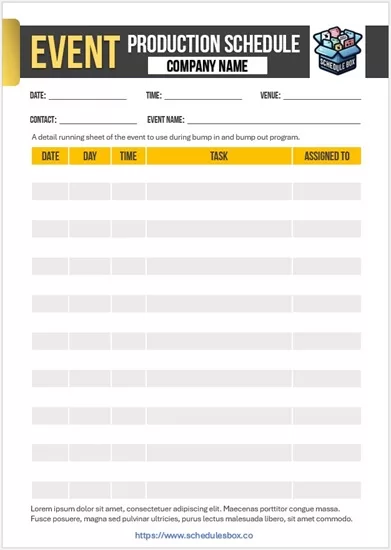
Event Production Schedule Template
A running order for the day: load-in, sound check, doors, the show itself and breakdown, each with a time and an owner so the crew works from one sheet.
- File type: MS Word (ZIP)
- File size: 91 KB
- Best for: events and live shows
Which production template should you pick?
“Production schedule” means two different documents depending on your industry. In manufacturing it plans output over time. In film, video and events it plans people and locations across a day. Start by working out which of those you are building.
| What you are scheduling | Use |
|---|---|
| What to make and how much, over weeks | Master Production Schedule Template |
| A single shift or day of output | Daily Production Schedule Template |
| Getting ready before a run starts | Pre Production Schedule Template |
| Shooting days, scenes and call times | Film Production Schedule Template |
| A video job from script to delivery | Video Production Schedule Template |
| Load-in, run of show and breakdown | Event Production Schedule Template |
| Who is working, rather than what is made | A staff schedule template alongside whichever you choose above |
Manufacturing usually needs the master schedule and the daily sheet together: one sets the target for the month, the other records what actually happened each shift. Film and event work usually needs only one document, but it needs to be accurate, because everyone on site is working from the same page. For longer builds with phases and dependencies rather than repeating output, a construction schedule template is closer to what you want.
How to build a production schedule
- Unzip the file and open it in Word or Excel. Google Docs, Google Sheets, LibreOffice and Apple Pages all open these.
- Start from the fixed date and work backwards. The delivery deadline, the shoot day or the event date is the one thing that will not move, so schedule toward it rather than forward from today.
- List the tasks that block other tasks first. A schedule that ignores dependencies looks achievable and falls apart in week two, because one late item stops four others.
- Check the plan against real capacity, not ideal capacity. Machine hours, crew availability and working days are what set the ceiling, and most overrun schedules were built assuming all three were unlimited.
- Build in contingency explicitly, as its own line. Buffer hidden inside each task gets consumed quietly; buffer that is visible on the schedule is the thing you can spend deliberately.
- Record what actually happened next to what was planned. A production schedule that is only ever a forecast cannot tell you why you were late, which is the question you will be asked.
- Circulate it as a PDF so everyone is working from the same version, and reissue the whole document when it changes rather than sending corrections.
Common questions
What is the difference between a master and a daily production schedule?
The master schedule sets what will be produced over weeks or months, and is the plan everything else works back from. The daily schedule turns one slice of that into a shift’s work, naming the runs, the machines and the people. You generally need both: the master to commit to, the daily to execute.
Why does a film production schedule look so different?
Because it schedules people and places instead of output. Scenes are grouped by location rather than shot in script order, since moving a crew is the most expensive thing in a shooting day. That is why the film and event templates are organized around call times and locations, not quantities.
What is the difference between pre-production and production scheduling?
Pre-production covers everything that has to be finished before work can begin: materials ordered, approvals signed, equipment booked, crew confirmed. It is a checklist with deadlines rather than a timeline of output. Most overruns are traceable to a pre-production item that was not closed before the run started.
Should I use Word or Excel for this?
Use Word for anything you print and hand out, such as a call sheet or a run of show, because the layout holds. Use Excel when you need to calculate, sort or filter, such as tracking output against target or seeing which pre-production items are still open.
Can I use these templates in my business?
Yes. You can edit, print, brand and share them within your organization at no cost. You may not resell the template files or republish them as your own download library.
