Seven free appointment schedule templates in Word, made in-house and ready to print. Three cover the standard booking formats, daily, weekly and hourly, and four are built for the places that book most heavily: clinics, salons, schools and hiring panels. Each is an editable Word document, so you can set your own opening hours and add your logo before the first booking goes in.
Free appointment schedule templates
Click any template to download it. No account, no email address, no watermark.
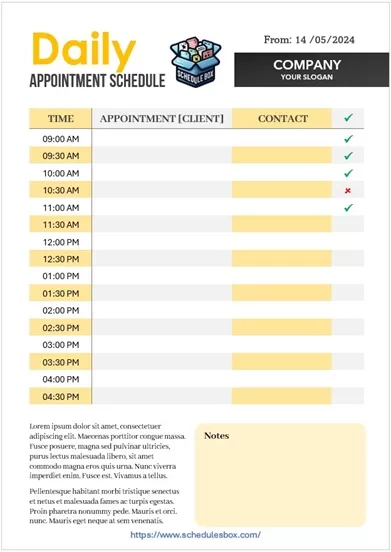
Daily Appointment Schedule Template
One day per sheet, which is the format most front desks actually use. Print it each morning, write bookings in as they come, keep it as the day’s record.
- File type: MS Word
- File size: 92 KB
- Best for: daily front-desk use

Weekly Appointment Schedule Template
A full week on one page, so you can see where the gaps are before offering someone a slot. Less room per booking than the daily sheet, more useful for planning ahead.
- File type: MS Word
- File size: 111 KB
- Best for: planning a week of bookings
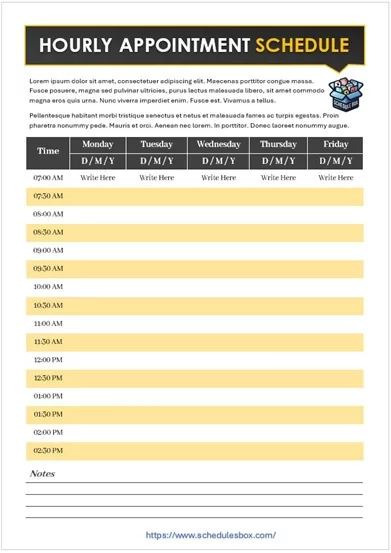
Hourly Appointment Schedule Template
One row per hour rather than per half hour, which suits longer services such as treatments, lessons and consultations where fewer, bigger slots are the norm.
- File type: MS Word
- File size: 91 KB
- Best for: hour-long services
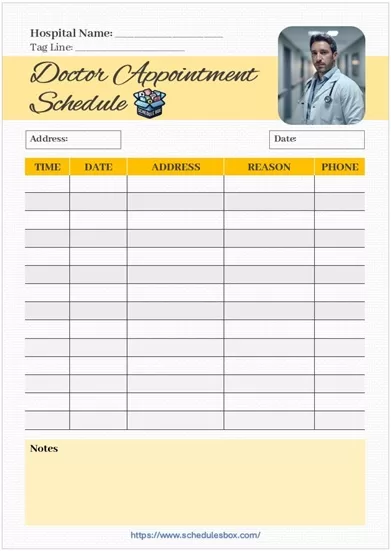
Doctor Appointment Schedule Template
Built for a clinic day, with space beside each slot for the patient’s name, the reason for the visit and notes the practitioner needs before they walk in.
- File type: MS Word
- File size: 270 KB
- Best for: clinics and practices

Salon Appointment Schedule Template
Handles the thing that makes salon booking awkward: different services take different lengths of time, and more than one stylist is working at once.
- File type: MS Word
- File size: 884 KB
- Best for: salons, barbers and spas
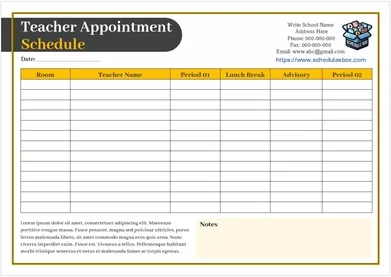
Teacher Appointment Schedule Template
For parents’ evenings and student meetings, where slots are short, back to back, and need to be handed out in advance so families know when to arrive.
- File type: MS Word
- File size: 81 KB
- Best for: schools and tutors
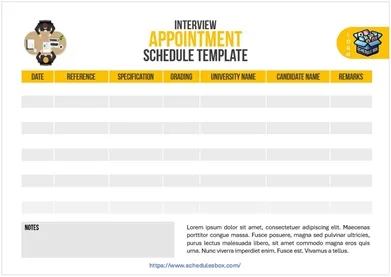
Interview Appointment Schedule Template
Candidates against time slots, with room to note the role, the panel and the interview round, so a day of hiring can be circulated to everyone involved.
- File type: MS Word
- File size: 237 KB
- Best for: recruiters and hiring panels
Which appointment template should you pick?
Two questions settle it. How far ahead do you need to see, and what do you need to write down about each booking beyond a name?
| Your situation | Use |
|---|---|
| Bookings change daily, one sheet per day | Daily Appointment Schedule Template |
| You need the week in view to offer slots | Weekly Appointment Schedule Template |
| Services run an hour or longer | Hourly Appointment Schedule Template |
| You record a reason for each visit | Doctor Appointment Schedule Template |
| Several staff, varying service lengths | Salon Appointment Schedule Template |
| Short back-to-back slots given out in advance | Teacher Appointment Schedule Template |
| Candidates, panels and interview rounds | Interview Appointment Schedule Template, or the full interview schedule set |
If what you actually need is a plain time grid without the client columns, an hourly schedule template gives you that. If you are scheduling the staff rather than the bookings, that is a staff schedule template. Many businesses print one of each and keep them side by side at reception.
How to set up an appointment schedule template
- Open the downloaded file in Word. Google Docs, LibreOffice Writer and Apple Pages open it too.
- Set your real opening and closing times in the first and last time cells, then work through the column so the grid matches your actual trading hours rather than a generic nine to five.
- Match the slot length to your shortest service. If most appointments run 45 minutes, hourly rows will waste a quarter of every day, and half-hour rows will have you merging cells constantly.
- Add your business name, phone number and logo to the header. If the sheet goes to clients or sits on a counter, this is the part that makes it look like yours.
- Rename the columns to the details you genuinely record. Deleting a column you never fill in gives the remaining ones more width, which matters when someone is writing in it by hand.
- Save a blank master under its own name, and print from that each day so the empty version never gets overwritten.
Common questions
What is the difference between an appointment schedule and an hourly schedule?
An appointment schedule pairs each time slot with columns about the person booked in, such as their name, contact details and the service they are coming for. An hourly schedule is the same time grid without those columns, intended for planning your own day rather than other people’s bookings.
Can I change the appointment length to 15 or 20 minutes?
Yes. The times are typed into ordinary table cells rather than generated automatically, so you can insert extra rows and retype the times at any interval. Shorter slots mean more rows, so check it still fits one page before you print a batch.
Can I add a second column for another staff member?
Yes. Click inside the table, right-click and choose Insert then Columns to the Right, then type the staff name in the header cell. The Salon template already works this way if you would rather start from one that is set up for it.
Should I keep these on paper if I already use a booking app?
Many businesses run both. The printed sheet is what sits on the counter and survives a dropped internet connection, and it gives whoever is covering reception a view of the day without logging into anything. These templates are also useful as the backup you print at the start of each day.
Can I use these templates in my business?
Yes. You can edit, print, brand and share them within your organization at no cost. You may not resell the template files or republish them as your own download library.

Pingback: Daily Schedule Templates — Free Word & Excel Downloads
Pingback: Hourly Schedule Templates — Free Printable Word Files